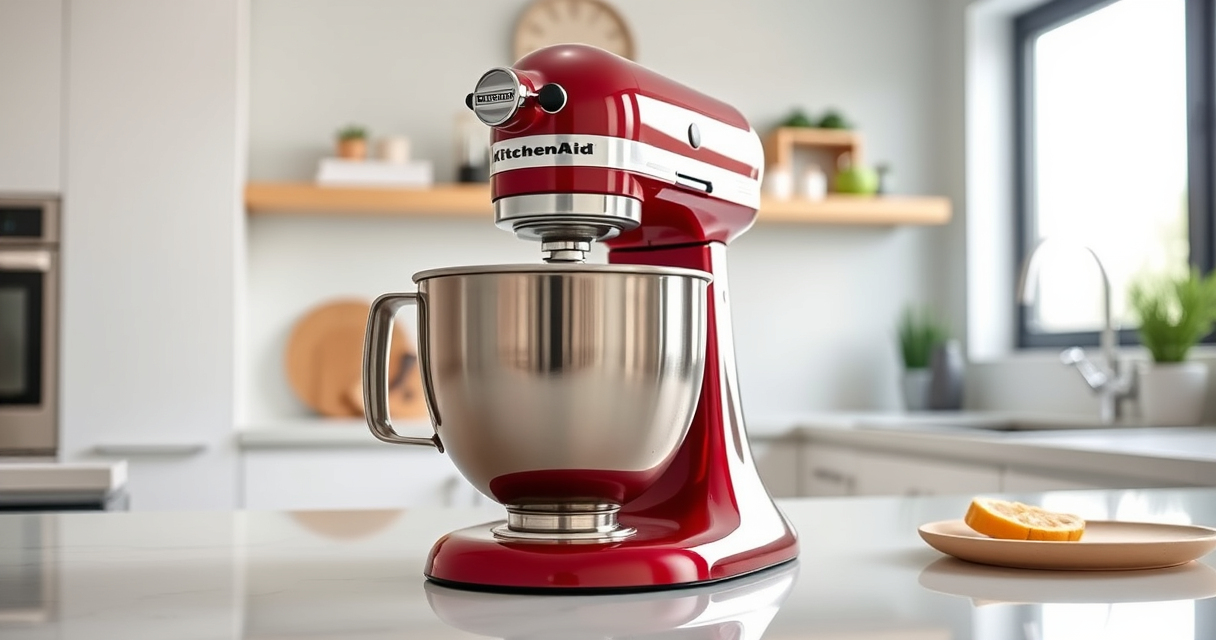

The KitchenAid Artisan Series 5 Quart Tilt Head Stand Mixer is a versatile kitchen appliance designed for easy mixing and baking tasks. However, some users may encounter issues where the mixer’s head won’t tilt back, hindering access to the bowl and attachments. Understanding the common causes and how to fix them can save time and prevent damage.

Get kitchen staples and gadgets delivered free with Prime
- Fast, free delivery on millions of items
- Prime Video, Amazon Music and more included
- Member-only deals all year
This guide provides practical, step-by-step troubleshooting tips to help you resolve tilt-back problems safely and efficiently, ensuring your mixer continues to perform at its best.
Key Takeaways
| Common Causes | Obstructions, worn parts, or improper locking can prevent tilt-back. |
| Basic Troubleshooting | Check for debris, reset the lock, and inspect for damage. |
| When to Seek Professional Help | Persistent issues may require service or replacement parts. |
| Safety First | Always unplug before troubleshooting or inspecting. |
Check for Obstructions or Debris
- Unplug the mixer from the power source to ensure safety.
- Carefully move the tilt head to its upright position if possible.
- Inspect the hinge area and the locking mechanism for any debris, food particles, or obstructions that could hinder movement.
- Use a soft brush or cloth to clean around the hinge and locking components.
- Ensure no foreign objects are blocking the tilt mechanism.
- Plug the mixer back in and gently try to tilt the head again.
Reset the Locking Mechanism
- Make sure the tilt head is fully in the upright position.
- Locate the tilt lock lever or button, usually on the side of the mixer.
- Deactivate the lock by pressing or pulling the lock mechanism as per your model’s design.
- Attempt to tilt back the head slowly, ensuring the lock disengages properly.
- If the head won’t tilt, try gently pressing down while activating the lock to see if it releases.
Inspect for Worn or Damaged Parts
If cleaning and resetting do not fix the issue, examine the hinge and lock components for signs of wear, damage, or bending. Over time, hinges can become stiff or misaligned. If you notice any broken or excessively worn parts, consider ordering replacement components from KitchenAid or consulting a repair professional. Do not attempt to force the tilt head if parts appear damaged, as this could cause further issues.
Lubricate Moving Parts
In some cases, lack of lubrication can cause the tilt mechanism to stick. Use a small amount of food-grade lubricant or silicone spray designed for kitchen appliances. Apply sparingly to the hinge and locking areas, then gently move the head back and forth to distribute the lubricant evenly. Always ensure the lubricant is safe for food contact and wipe away any excess.
Seek Professional Repair or Replacement
If none of the above steps resolve the issue, your best option is to contact KitchenAid customer service or a qualified appliance technician. Persistent tilt-back problems might be caused by internal mechanical failure or broken parts that require professional repair. Attempting further DIY fixes without proper expertise can risk damaging the mixer or voiding warranties.
The Products in This Guide

KitchenAid Artisan Series 5 Quart Tilt Head Stand Mixer
- ✔ Bowl Size: 5 Quart
- ✔ Speed Levels: 10
- ✔ Color: Multiple options

KitchenAid Stand Mixer Attachment
- ✔ Materials: Metal
- ✔ Compatibility: All KitchenAid mixers
- ✔ Includes: Grinding plates, sausage tubes
KitchenAid Artisan Series 5 Quart Tilt Head Stand Mixer
The KitchenAid Artisan Series 5 Quart Tilt Head Stand Mixer is built with sturdy metal construction and 59 touchpoints for thorough mixing. Its tilt-head design provides easy access to the bowl, making it convenient for various recipes. While most users enjoy smooth operation, occasional tilt-back issues can occur, which are usually fixable with straightforward troubleshooting.
Pros:
- Sturdy metal construction for durability
- Easy tilt-head access for ingredient addition
- Multiple color options to match kitchen style
- Powerful motor with 10 speeds
Cons:
- Tilt mechanism can stick or jam over time
- May require maintenance or replacement parts
- Not suitable for continuous heavy use without inspection
Best for: Home bakers and cooking enthusiasts seeking a reliable mixer
Not ideal for: Users who prefer handheld mixers or have limited space
Bottom line: A versatile, durable mixer that benefits from regular maintenance to prevent tilt-back issues.
KitchenAid Stand Mixer Attachment
The KitchenAid Metal Food Grinder attachment expands your mixer’s capabilities, allowing you to grind fresh meats, vegetables, and more. Easy to connect via the power hub, it’s a practical addition for home chefs who want more control over ingredients.
Pros:
- Creates fresh, flavorful ground foods
- Includes multiple grinding plates
- Large tray for bigger batches
- Easy to clean and store
Cons:
- Additional cost for attachment
- Requires space for storage
- Attachment sold separately
Best for: Cooks interested in homemade ground foods and sausage making
Not ideal for: Those who only need basic mixing capabilities
Bottom line: A versatile attachment that turns your mixer into a meat grinder and food processor.
Frequently Asked Questions
What should I do if my KitchenAid tilt head won’t tilt back?
First, unplug the mixer and inspect for debris or obstructions. Reset the lock mechanism, check for worn parts, and lubricate moving components if needed. If issues persist, consider professional repair.
Is it safe to force the tilt head if it’s stuck?
No, forcing the head can damage internal parts or cause injury. Always troubleshoot the issue safely and contact a professional if necessary.
How often should I lubricate the hinge?
Lubricate the hinge and lock areas if you notice stiffness or sticking, typically every 6-12 months, depending on usage.
Can I repair the tilt mechanism myself?
If you have experience with small appliance repairs, you can replace worn parts or clean the mechanism. Otherwise, consult a professional to avoid further damage.
What warranty coverage is available for my mixer?
KitchenAid mixers usually come with a limited warranty. Check your purchase details for specific coverage and consider servicing through authorized repair centers.
Keep Your KitchenAid Mixer in Top Shape
Regular maintenance and careful troubleshooting can extend the life of your KitchenAid Artisan Series 5 Quart Tilt Head Stand Mixer. By understanding common causes of tilt-back issues and following the step-by-step fixes outlined above, you can ensure smooth operation and continue enjoying your favorite recipes with ease. When problems persist, professional repair is the safest route to restore full functionality.
Affiliate disclosure: As an Amazon Associate we earn from qualifying purchases. Prices and availability are accurate as of the time of publishing.
Halloween Picks
halloween
As an affiliate, we earn on qualifying purchases.